01core5 min0/5 steps
Get oriented
Before the checklist tells you anything, see how much the product explains on its own.
 FantasyOmatic
Evaluation program
Work through this checklist in order, use the prepared Week 8 examples, and tell us where the product earns or loses your trust.
Before you start
Plan on 60-90 minutes for the 11 core sections. Season 2025, Week 8 is an intentional evaluator snapshot with stable sample data. There is no drafting workflow in this build. Your private sample roster is editable, and a real league connection is optional. Keep rough notes as you go — the final debrief asks for them.
Use the sample first
It makes every evaluator's first run comparable.
Open feature links
They launch in a new tab so this checklist keeps your place.
Use your own examples
The prepared checks are a baseline, not a script you must stay inside.
Report through The Desk
Bugs, confusion, missing states, and feature ideas are all useful.
Saved progress
0/17
Loading your saved checklist…
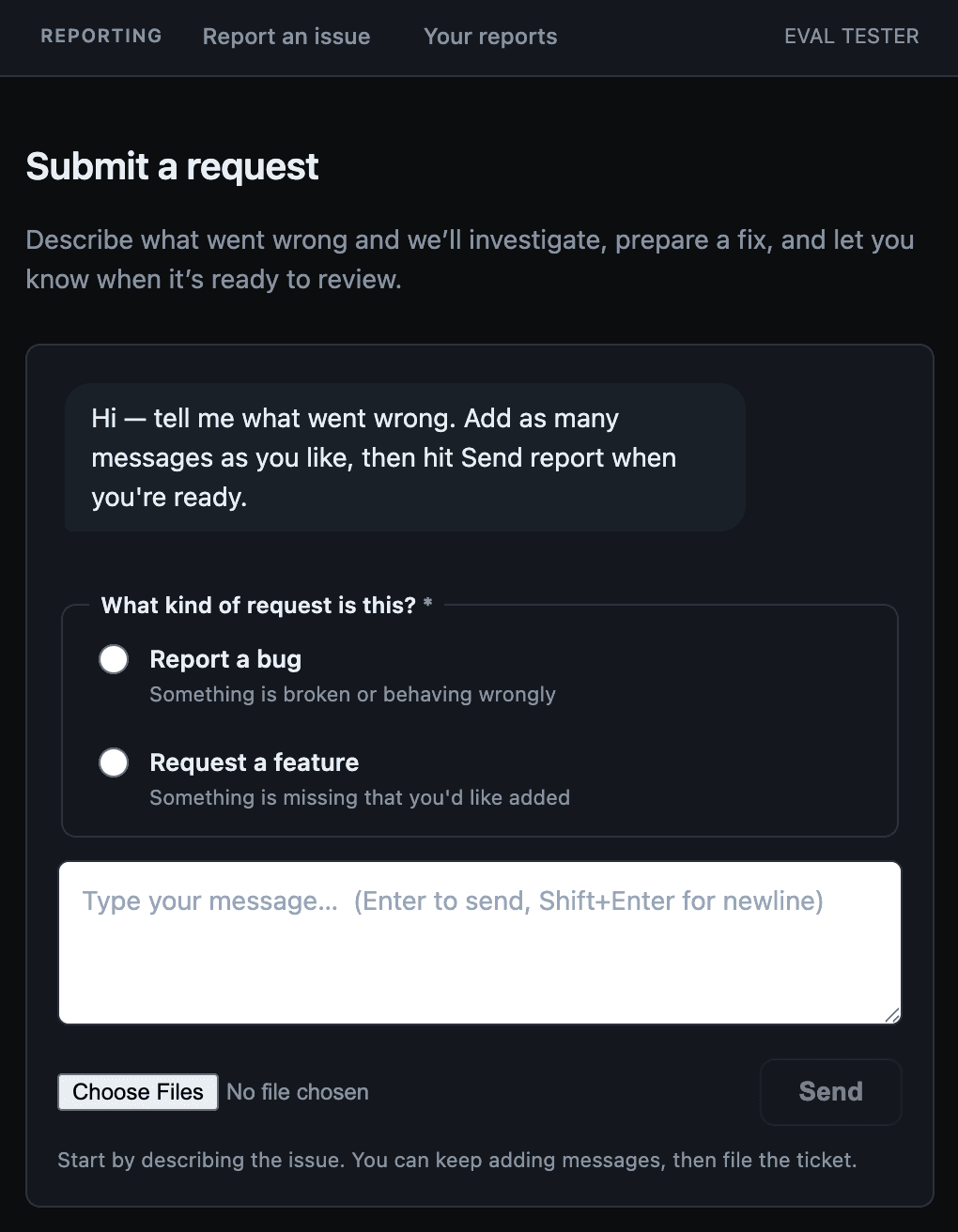
Reporting is part of the evaluation
Do not email, text, or DM feedback. Keeping every actionable item in The Desk preserves the page context, screenshots, status, and private fix review in one place. Send one focused report for each bug or feature idea.
What The Desk looks like
0/17 complete
Before the checklist tells you anything, see how much the product explains on its own.
Learn the four rating horizons and find useful players without help.
Drake MayeHarrison ButkerIND D/STTry your own
Search for a player you actually care about. Which rating would you use for your next decision?
Follow the evidence from the headline rating down to the factors behind it.
Drake MayeTry your own
Go back to Rankings and open a different player. Does the same reading pattern still work?
Use the defense matchup context without counting it twice.
See how lineup changes flow through the personalized tools — without touching a real league.
Only edit while the SAMPLE ROSTER banner is visible. If you connected a real league, skip the edits and just read the roster.
Jordan LoveDrake MayeHarrison ButkerDecide whether the dashboard puts the most important in-season action first.
Keep this week's lineup call separate from longer-term roster value.
Drake Maye vs Jordan LoveDe'Von AchanePuka Nacua, Rico DowdleIsaiah LikelyTry your own
Swap in a real start/sit or trade question from your own league.
Find a safe bye-week replacement without mistaking a suggestion for a confirmed pickup.
Without a connected league, only bench options are guaranteed to be yours. Players from outside your roster are only confirmed available after a league sync.
Jake BatesZach CharbonnetCheck whether the articles lead back to useful product decisions.
Confirm the User Guide answers questions in plain language.
Week Contextsample roster Week 8feature suggestionTry your own
Search for the first term you did not understand during this evaluation.
Complete the same feedback loop evaluators will use after this journey.
Never put passwords, cookies, API keys, or verification codes in a report. Name the provider and the visible error instead.
Let me save a Compare result and share it with a league mate.Test whether a chat answer stays grounded in your visible roster and ratings.
Should I start Drake Maye or Jordan Love in Week 8? Use only my current roster and FantasyOmatic ratings evidence.Try your own
Ask one real roster question, then verify every player, injury, opponent, and rating the answer cites.
Compare raw schedule difficulty with the full player outlook.
If the Matrix says ratings are being prepared, note what you saw and keep going — that state is itself useful feedback.
Evaluate generation, playback, transcript, and follow-up end to end.
See whether saved decisions and outcomes add up to a useful season story.
Test the ratings overlay on the fantasy sites you already use.
Optionally test a real league sync — it is not required.
Yahoo import is currently unavailable. Never paste passwords, cookies, tokens, or verification codes into The Desk.
Final debrief
Put each actionable bug or feature idea into its own Desk report. Broader impressions can go in your evaluator reply or closing survey.
Complete sections 01-11 before treating the evaluation as finished. Optional sections broaden coverage but are not required.